
When GTD stops working
An overflowing Inbox, a stale project list, or a skipped review can make GTD hard to keep using. Find the part that is getting in your way and choose one small adjustment.
You fell off, and now the list is lying to you.
A hard week happened. You stopped processing and worked from memory instead, and by Friday the list had drifted so far from reality that opening it felt worse than leaving it shut.
GTD’s answer is a rebuild. You don’t repair a stale system item by item; you do one long capture pass: everything on your mind, onto a blank page, and then clarify all of it. The method assumes you will fall off, and climbing back on is one of its defined moves. Mindwtr’s Weekly Review opens with that pass, and offers a guided Mind Sweep for when your inbox is empty but your head isn’t.
There is no reason to ever have the same thought twice, unless you like having that thought.
— David Allen, Getting Things Done
The weekly review takes two hours, so you skip it.
You blocked out Friday afternoon. The first review ran ninety minutes, the second ran longer, and the third never happened.
A review that long is usually carrying work that belongs somewhere else. Its job is to look, decide, and move on — when it surfaces a two-hour task, the correct outcome is a next action, not two hours. It also helps to shrink the gap: a few minutes a day on today, the inbox, and what you’re waiting on keeps the weekly pass from becoming an excavation. Mindwtr runs the review as a wizard that skips any step with nothing in it, and has a short Daily Review for the between-times.
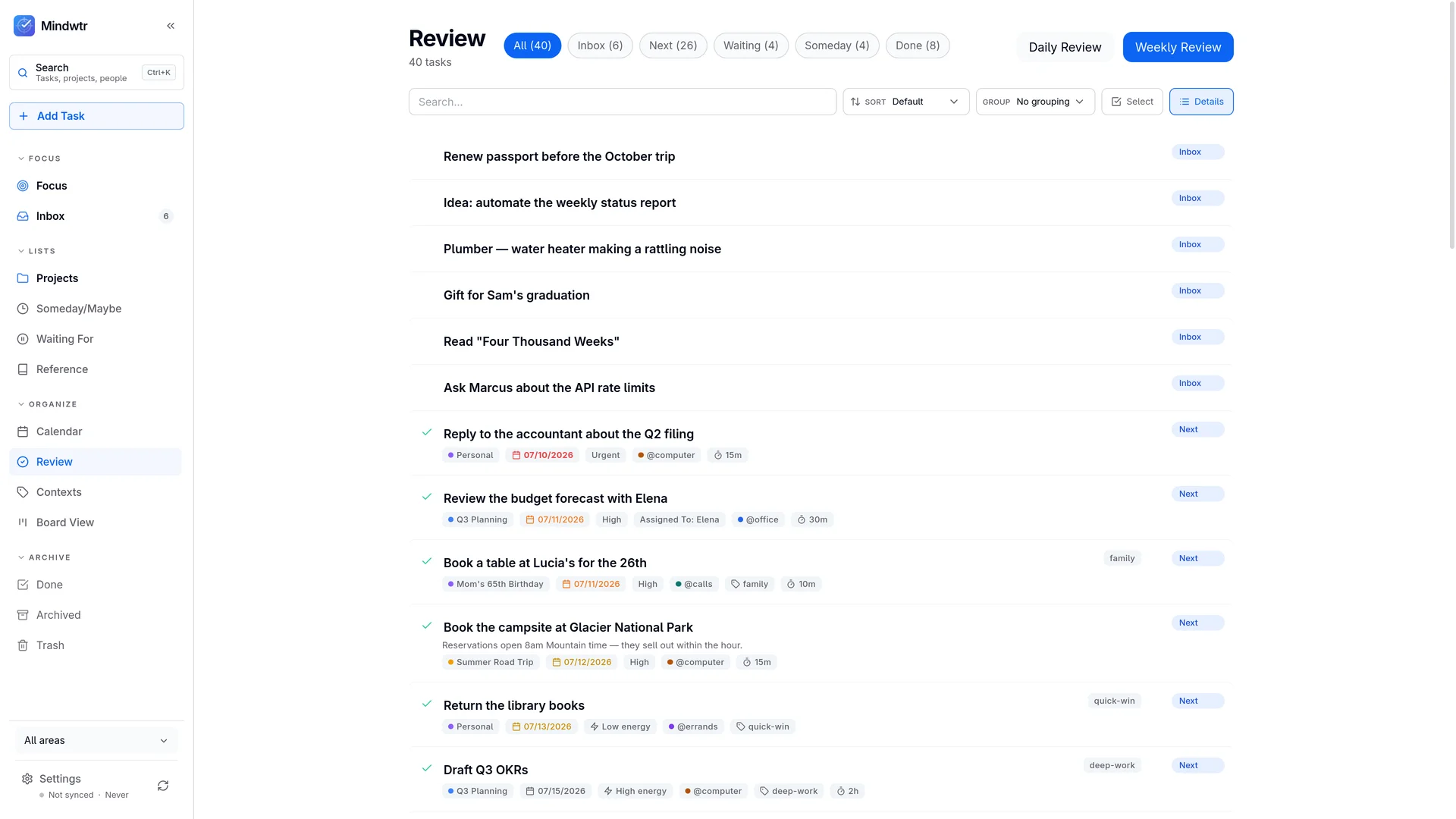
Your next-actions list grew until nothing stands out.
Forty items. Every one of them real, none of them obviously the thing to do right now. So you scroll, feel vaguely bad, and go answer email instead.
A next-actions list is a menu of what you could pick up in this moment, so anything you can’t start today doesn’t belong on it: work blocked on another person goes to Waiting For, work you can’t begin until the 14th gets that date, work you haven’t committed to goes to Someday. Then filter what’s left by context and by the time you actually have. Mindwtr’s Focus view shows only what’s available now.
Every context is “@computer” now.
The book was written when @phone and @office meant something. You do nearly everything on one laptop from one chair, so your contexts collapse into a single useless bucket and you quietly stop using them.
Context was never about location. It’s about what a task requires that you might not have to hand: a tool, a particular person, a certain kind of attention, twenty minutes rather than two hours. Swap the physical contexts for those — a context per person for what you can only settle face to face, a low-energy marker for what you can manage at four in the afternoon. Keep four or five; a context you have to maintain isn’t paying for itself. Mindwtr carries contexts, person contexts, and tags side by side, with energy and time as filters on top.
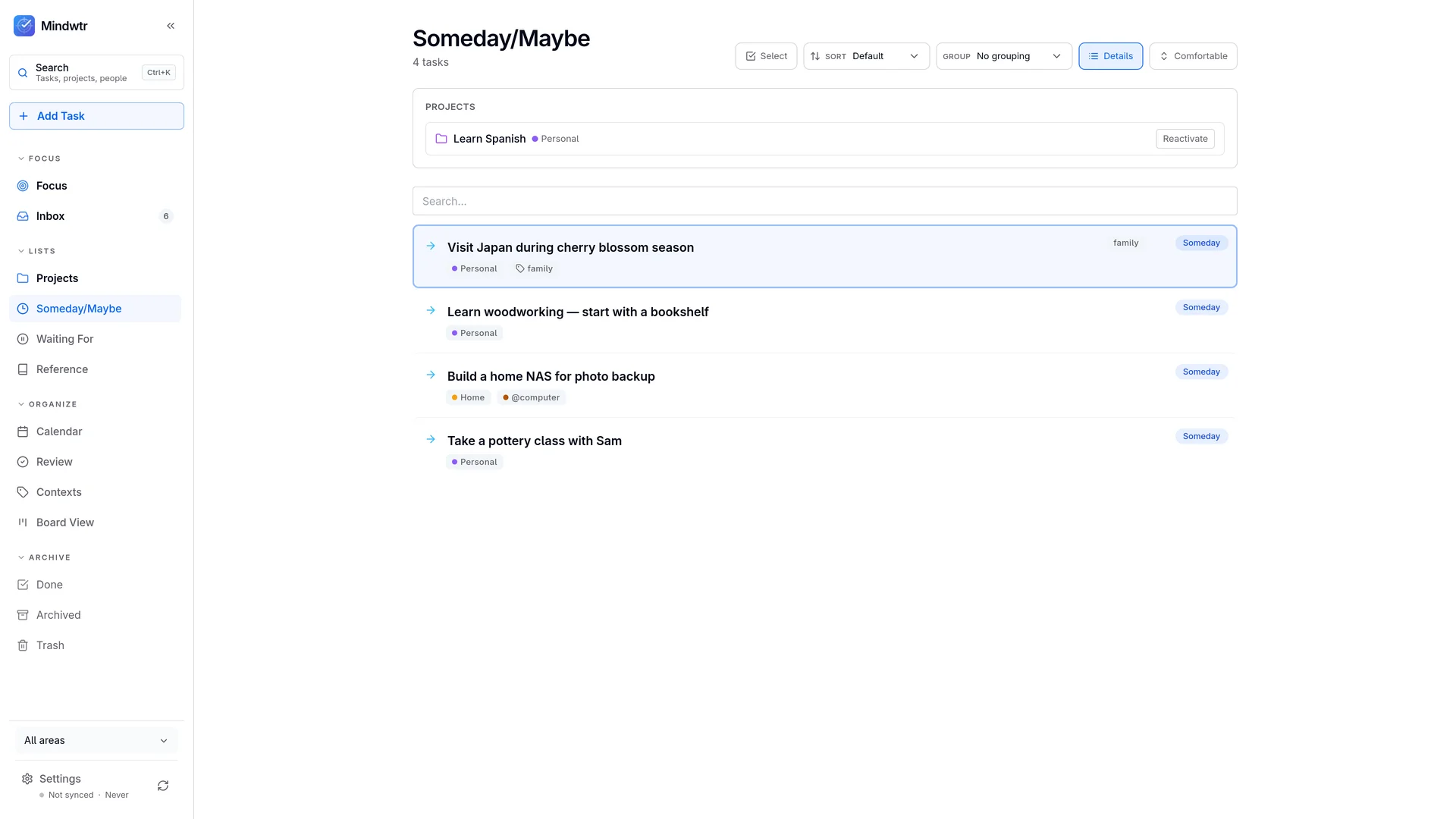
Someday/Maybe turned into a graveyard.
Two hundred items, most of them years old, a few you’d now be embarrassed to admit you wanted. You haven’t opened it in months — and you know you haven’t, which is its own low hum of guilt.
Someday/Maybe only works if it gets read, so if reading it is unpleasant, the fix is subtraction. It holds things you’d be genuinely glad to be reminded of, not every idea you’ve ever had; delete without ceremony, because anything worth having comes back on its own. And when an item has a real date on it — the course that opens in September — give it that date so it resurfaces by itself. In Mindwtr a Someday task keeps its status when you date it, which makes it a tickler rather than a demotion.
Capture is scattered across six places.
There’s a note on your phone, three sticky notes, an email you sent yourself, and a text thread with your partner that is secretly a shopping list. Nothing is lost, exactly. It’s just spread thin enough that no single place can be trusted.
GTD is relaxed about several capture points — a notebook in your bag, a voice memo in the car — on one condition: they all empty into the same inbox, and they all get emptied often. Write things down in as many places as you like, as long as there is one place you have to look.
The project is stalled because the next action isn’t one.
“Sort out the insurance” has been on the list for five weeks. You’ve read it twenty times and never once done it, because it isn’t something you can do. It’s a topic.
The test is physical: could someone film you doing it? “Sort out the insurance” fails. “Find last year’s policy in the filing box” passes. You skip a vague item because its first real step is still undecided, and deciding costs more than you have while scanning a list. Do that deciding once, when you clarify. Any project without a filmable next step is stalled, whatever its status says; Mindwtr’s review shows which projects those are and lets you add the missing action without leaving the step.
You can’t act on it yet, so it sits there taunting you.
You can’t check in for the flight until Thursday. Step four can’t happen until step one does. The work is real and committed, so it stays on the list, and you re-read it every day and skip it every day.
Defer it. A start date is a tickler: it says when the work becomes available, and until then the item should be out of sight. A project whose steps must happen in order should show you only the first open one. Neither Someday nor Waiting For fits here: Someday is work you haven’t committed to, Waiting For is work blocked on a person, and “not yet” is neither. The hard part is trusting the system enough to let hidden things stay hidden. In Mindwtr a start date keeps a task out of Focus until its day, and sequential projects surface one step at a time.
Repeating chores clutter the list or come back identical.
You water the plants, tick it off, and it reappears looking exactly as it did a minute ago. Meanwhile the thing you do every two months camps on your Next list for eight weeks, contributing nothing but weight.
Repeating work needs a cadence decision, and there are two answers that behave very differently. Some things are tied to the calendar — rent is due on the first whether or not you paid early. Others are measured from when you last did them: plants need water three days after the last watering, not three days after some fixed date. Pick the right one, and then keep the next instance out of sight until it’s due. Mindwtr offers both repeat strategies, holds the next instance out of Focus until its date, and can surface it a few days early with a start lead time when a chore needs warning.
You handed the work off, and now it’s invisible.
You asked, they said yes, and the task left your list and your memory in the same motion. Three weeks later the deadline arrives, nothing has happened, and the person who dropped it is you.
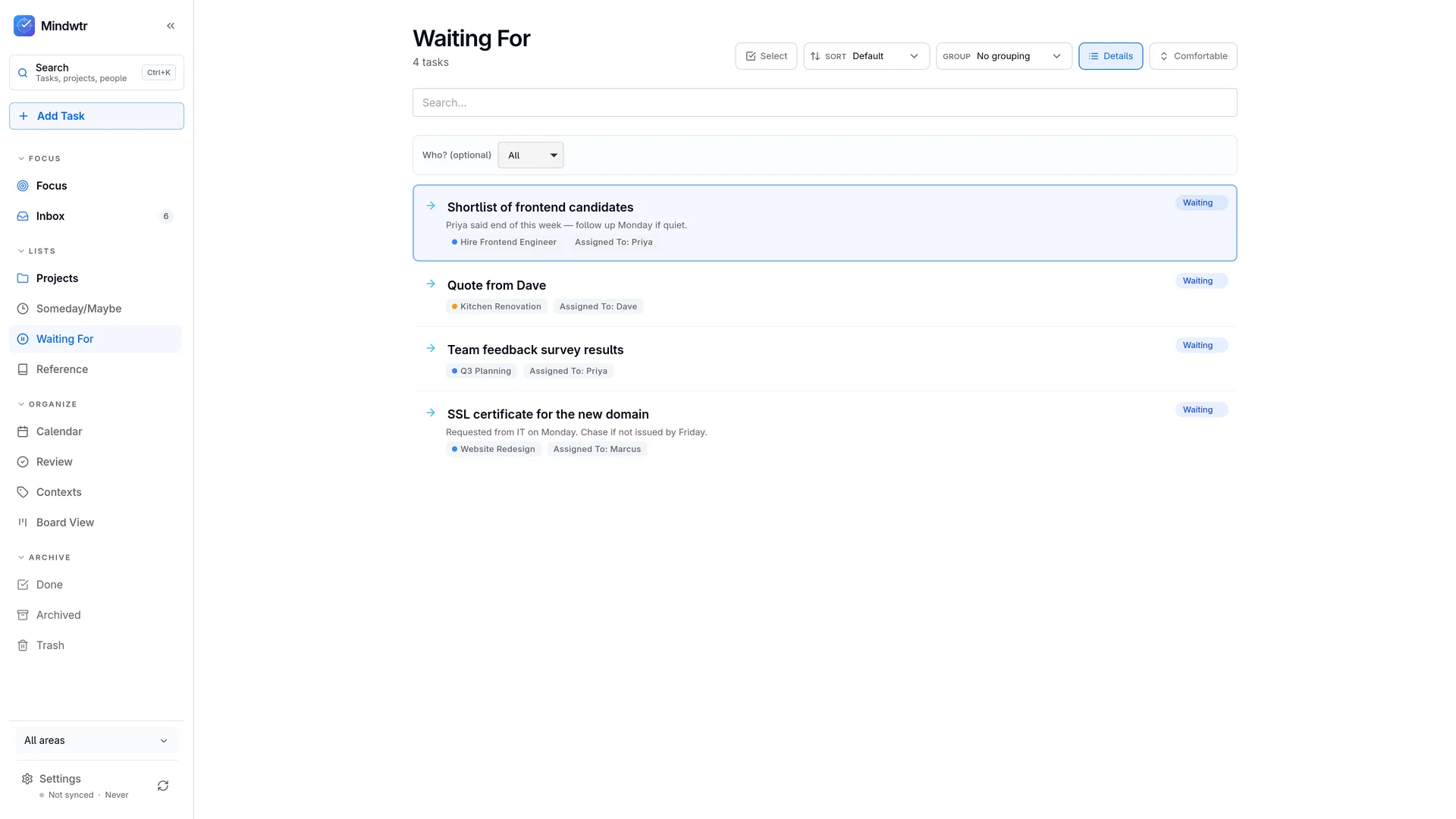
Waiting For has to be a written list. Every handoff earns an entry
with a name on it and the date you asked, and the review’s job is to
walk that list and chase what has gone quiet. Delegating changes what
your next action is; the commitment stays yours. In Mindwtr a waiting task carries an
assignee you can filter by,
and one line captures the whole thing:
Chase %Jim for the contract /waiting.
You keep changing apps instead of doing the work.
Six weeks in one app, a migration weekend, a clean start, and the same drift six weeks later. Setting up a system feels like progress in a way the actual work never does, and a new tool is always briefly wonderful.
Rebuilding is tidy, finite, and it postpones everything on the list. But almost any app can hold a next-actions list; what wobbles is the habits around it, and habits don’t migrate. Before you switch, name the one specific thing your current tool won’t do. If you can’t name it, the tool isn’t the problem. If you can, switch once — then stop.
Where an app actually helps.
None of this requires software. A paper notebook has carried people through GTD for two decades. An app earns its place only by making the parts you skip cheaper: capture that’s already in your pocket, a review that walks you through the steps, and filters that shrink a long list to what you can act on now.
That is the job Mindwtr was built for. It’s free and open source under AGPL-3.0, works offline with no account, and ships the whole method out of the box — inbox processing, Next, Waiting For and Someday, areas, contexts, sequential projects, and the guided Weekly Review. If you’re arriving from somewhere else, there are importers for Todoist, TickTick, OmniFocus, DGT GTD, and CSV.
Keep reading
For the method from the beginning, start with what GTD is. For why the habits work on a brain, there’s the psychology of GTD. The Mindwtr Handbook is a fifteen-minute tour of the whole system in practice, and GTD with ADHD covers the version of these walls that arrives faster and hits harder.