Everything Mindwtr does.
Find the tools for capturing tasks, planning projects, and deciding what to do next. Watch the tour or jump to a topic. Each feature links to instructions in the docs.
Take the 75-second feature tour.
See how capture, planning, review, and Focus stay connected. Browse every video guide
From an idea to a finished task
Capture what is on your mind, decide the next step, and keep your lists up to date. New to GTD? Start here
-
Capture
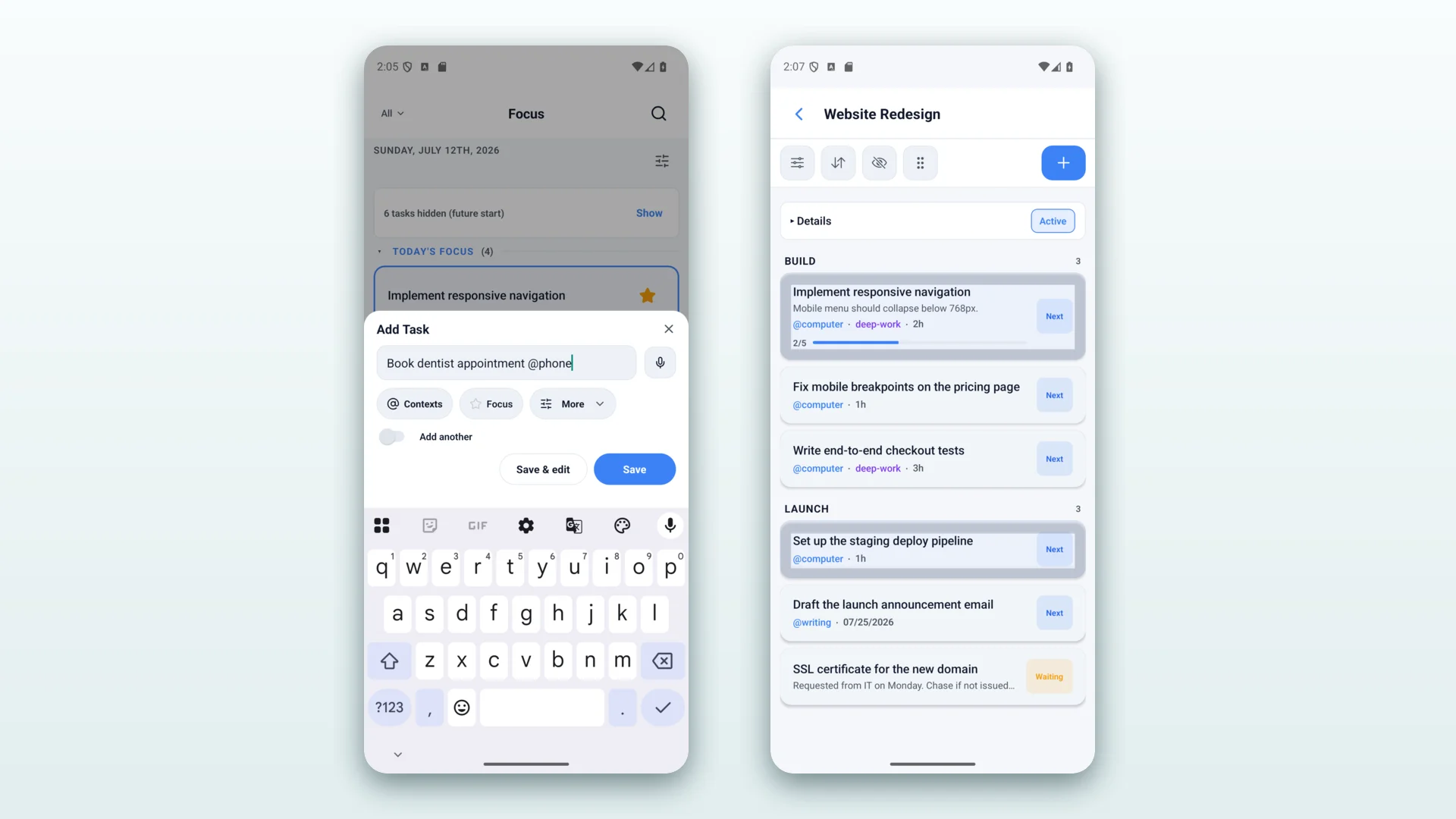
Quick add from anywhere — global hotkey, tray, share sheet, or voice.
-
Clarify
Guided inbox processing with the two-minute rule.
-
Organize
Projects, sections, contexts, and status lists.
-
Reflect
Daily and weekly review workflows with reminders.
-
Engage
Context-filtered next actions, so you always know what’s next.
See the tasks you need
Switch between your next actions, projects, calendar, and board.
-
Focus
A time-based agenda and your next actions, together in one screen.
-
Projects
Multi-step outcomes with sections, areas, and manual task ordering.
-
Calendar
Plan dated work and subscribe to external calendars and ICS feeds.
-
Board
Kanban-style drag and drop across Inbox, Next, Waiting, and Someday.
-
Contexts & tags
Tag tasks by where you do them, like @home or @work/meetings; nested contexts match their parent.
-
Review
Daily and weekly review wizards keep the system trustworthy.
Tools for everyday tasks
Find a note, record a thought, repeat a routine, or start a focus timer.
-
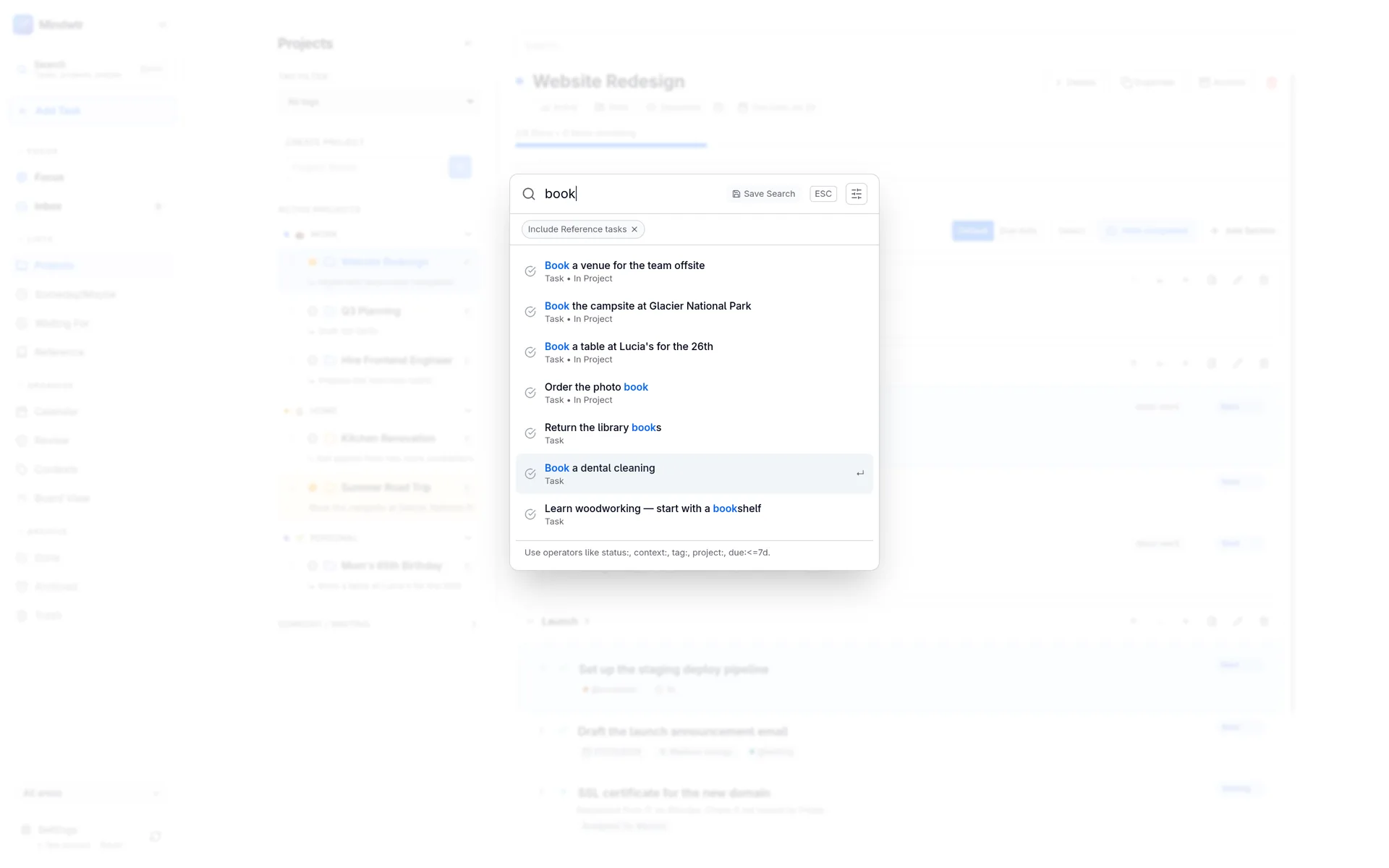
Global search
Find tasks, notes, and projects. Add filters when you need a narrower search.
-
Audio capture
Speak a task; it’s transcribed and filed into your inbox automatically.
-
Pomodoro Focus
Alternate focused work and breaks with an optional timer.
-
Reusable lists
Duplicate tasks or reset checklists for routines you run again and again.
-
Attachments & notes
Files, links, and Markdown notes with preview on any task.
-
Fluid recurrence
The next date is calculated after you finish, not on a fixed schedule.
Keep control of your data
Import your tasks, keep backups, and choose whether and where to sync.
-
On your device
Tasks, notes, projects, and attachments start on your device (local-first).
-
Flexible sync
Choose iCloud, Dropbox, a folder, WebDAV, or your own sync server.
-
Import
Bring in your tasks from Todoist, TickTick, DGT GTD, or OmniFocus.
-
Obsidian
Import a vault with deep links back to the source notes (desktop).
-
External calendars
Read system and Apple calendars, push dated tasks, and subscribe to ICS.
-
Backup & restore
Export to JSON and restore from a validated Mindwtr backup.
Connect other tools when you need them
Use Shortcuts, AI, or scripts to work with your tasks. All are optional.
-
AI assistant
Use your own provider API credentials or a local model.
-
Local REST API
A token-authenticated localhost API for scripting the desktop app.
-
MCP server
Let compatible AI tools read and manage your tasks through Mindwtr’s MCP server.
-
Apple Shortcuts & Siri
Automate capture and actions on Apple devices.
-
Web app (PWA)
Browser access with offline support.
-
Docker
Run the PWA and the self-hosted sync server with Docker.
On your computer, phone, and watch
Capture, plan, and review on desktop and mobile. Choose the app for your device below.
-
Desktop
macOS, Windows, and Linux.
-
Mobile
iOS and Android, with the full guided workflow plus share-sheet, voice, and widget capture.
-
Apple Watch
Capture Inbox items by voice or text, act on Focus tasks, and control Pomodoro from your wrist. Included starting with the next stable release.
-
Keyboard
Vim and Emacs keymap presets for keyboard-driven work.
-
Themes
Light and dark, system-aware.
-
23 language options
Choose your language in Settings. See the full list in the docs.