
The Mindwtr Handbook
Learn how to use Mindwtr from your first captured task to your weekly review. Follow the walkthrough in order, or jump to the step you need. For individual settings and commands, see the documentation.
See the whole GTD loop in 2:41.
Follow one calm path from capture and clarification through Focus and the Weekly Review. Browse every video guide
Day one: bring your stuff, or start clean.
If you are coming from another app, move your data first — an old system half-abandoned in another window will compete with the new one. Mindwtr imports Todoist, TickTick, OmniFocus, and DGT GTD natively, and has a documented CSV layout for everything else. You export a file, pick the matching import, and check the preview before anything is added. See the import guide
Choose what to bring with you: bring live projects and real next actions, not what you stopped caring about two years ago. If you are starting clean, a fresh install opens a small Getting Started project to learn the workflow in.
Capture: one inbox, every route in.
The habit is simple and unnatural at first: the moment something crosses your mind, it goes down outside your head, and always in the same place. One inbox, not six sticky notes and a text to yourself.
The app’s only job here is to be faster than the thought is fleeting:
type in the desktop input, tap the field on your phone, or speak it.
Whatever you already know can go inline —
Call plumber @phone /due:friday — but half-formed is
fine. Sorting comes later, on purpose. See
getting started
Clarify and organize: the processing pass.
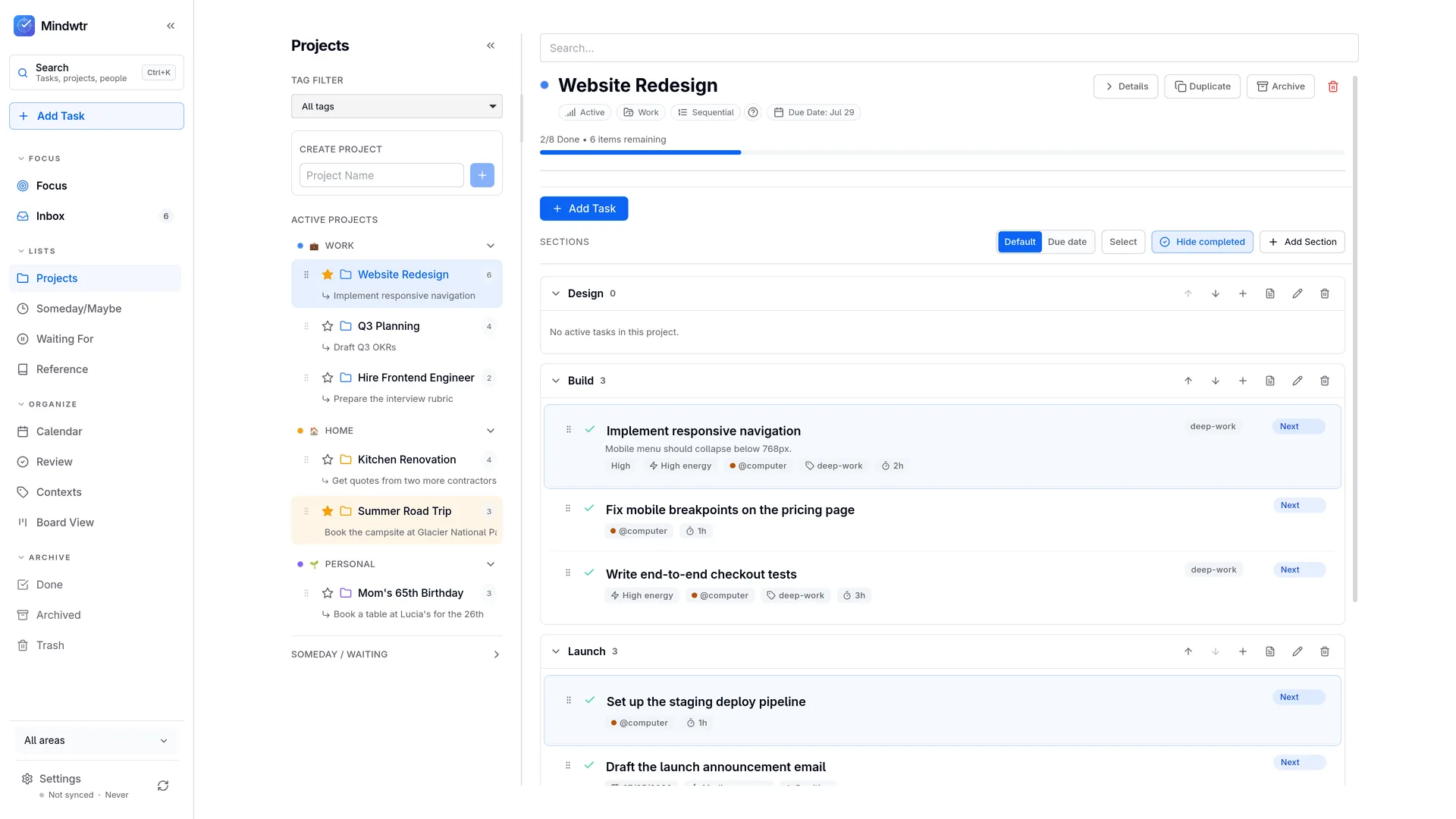
Set aside time to work through the Inbox, a few items at a time if needed. Every item gets the same short interrogation. Actionable at all? If not: trash, reference, or someday. More than one step? Then it is a project, and a project needs a name and a first real action — not “sort out the car”, but “call the dealer to book the appointment”. Under two minutes? Do it now. Someone else’s job? Waiting For, with their name on it.
Whatever survives lands somewhere specific. Projects hold outcomes with an end state; Areas hold the parts of life that never finish — Health, Work, the house. Contexts say where or with what a task can be done, so that later, standing in a shop with ten minutes spare, you can ask the list a useful question. Details in the workflow guide
The five habits, and where they live.
GTD is five habits. Mindwtr gives each one a place to happen, so none of them depends on you remembering that it exists. New to the method? Start here
-
1 · Capture
One Inbox, reachable from every device. Guided Mind Sweep prompts for when you know your head is still full.
-
2 · Clarify
The processing wizard asks the GTD questions in order, so you never hold the decision tree in your head.
-
3 · Organize
Next, Waiting For, Someday/Maybe, Calendar. Projects and Areas for structure; contexts for where the work can happen.
-
4 · Reflect
The guided Weekly Review, plus a lighter daily pass — the step most systems skip, and the one that keeps them true.
-
5 · Engage
The Focus view: what is available right now, with deferred and blocked work kept out of sight until it is yours to do.
The day: open Focus, pick one thing.
A working day in Mindwtr is unremarkable, which is the point. You open Focus: what you starred for today, what is due or starting, then your available next actions — not the full inventory, just what is yours to do right now. Work waiting on a future start date, or on an earlier step in a sequential project, stays out of sight until it is ready.
Then you filter by where you are. At a desk, on the phone, out running errands — the context narrows the list to what the situation allows, and you pick one thing. Whatever arrives meanwhile goes to the Inbox untouched; you are working, not sorting. The daily pass
The week: the review is the keystone.
Everything above degrades without this one. Between reviews your lists and your life drift apart — work finishes, priorities move, promises arrive — and the moment you half-suspect the list is stale, you start keeping a second copy in your head. That second copy is the end of the system.
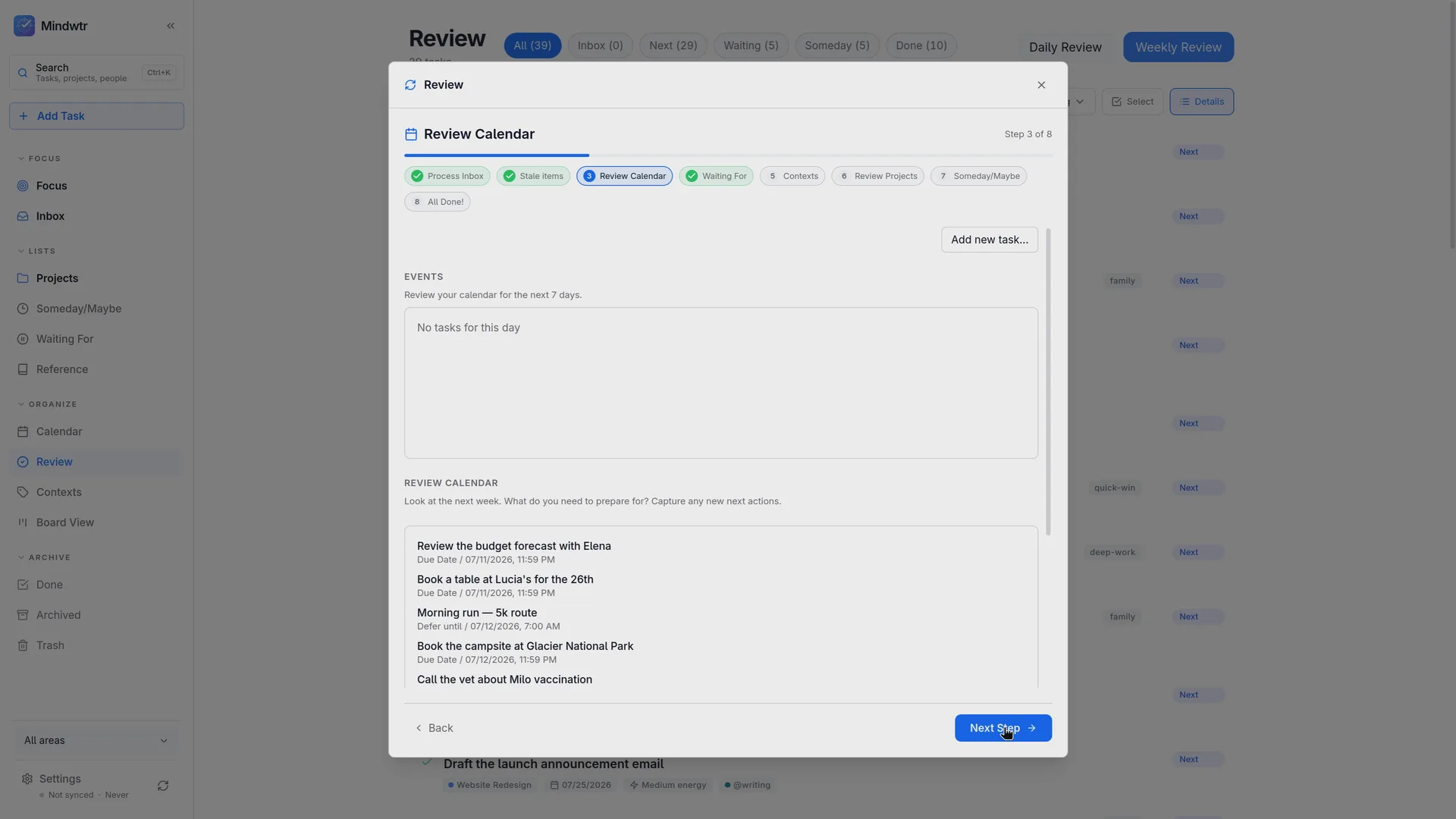
Pick a time and defend it — Friday afternoon, Sunday morning, thirty to ninety minutes. Mindwtr walks you through the steps instead of handing you a blank checklist: empty the inbox, face what has gone stale, check the calendar two weeks back and two ahead, chase what you are waiting on, give every live project a next action. You finish knowing what to do, and what you can ignore until next week. The full review
The horizons above the runway.
Next actions are the ground floor. Above them sit projects, then the areas you are responsible for, then goals, then the life you are trying to build. None of that needs weekly attention — but the review is where it gets airtime, in the last few minutes when you ask what would make next week good. That is home enough for it. The six horizons, explained
Leaving is part of staying.
Your tasks live in a plain SQLite database on your own machine. No account, no server holding them hostage, and export works from day one whether or not you ever turn on sync. If Mindwtr stops suiting you, take a backup file and go. The app is free and open source under AGPL-3.0, so it cannot quietly become a subscription behind your data.
A trusted system means putting years of commitments in one place, and you should only do that where the door out stays unlocked. Backup and restore
Keep reading.
What is GTD? — the method in five minutes, no book required. The psychology of GTD — why writing things down quiets the mind. The six horizons — how today’s to-do list connects to the life you meant to live.